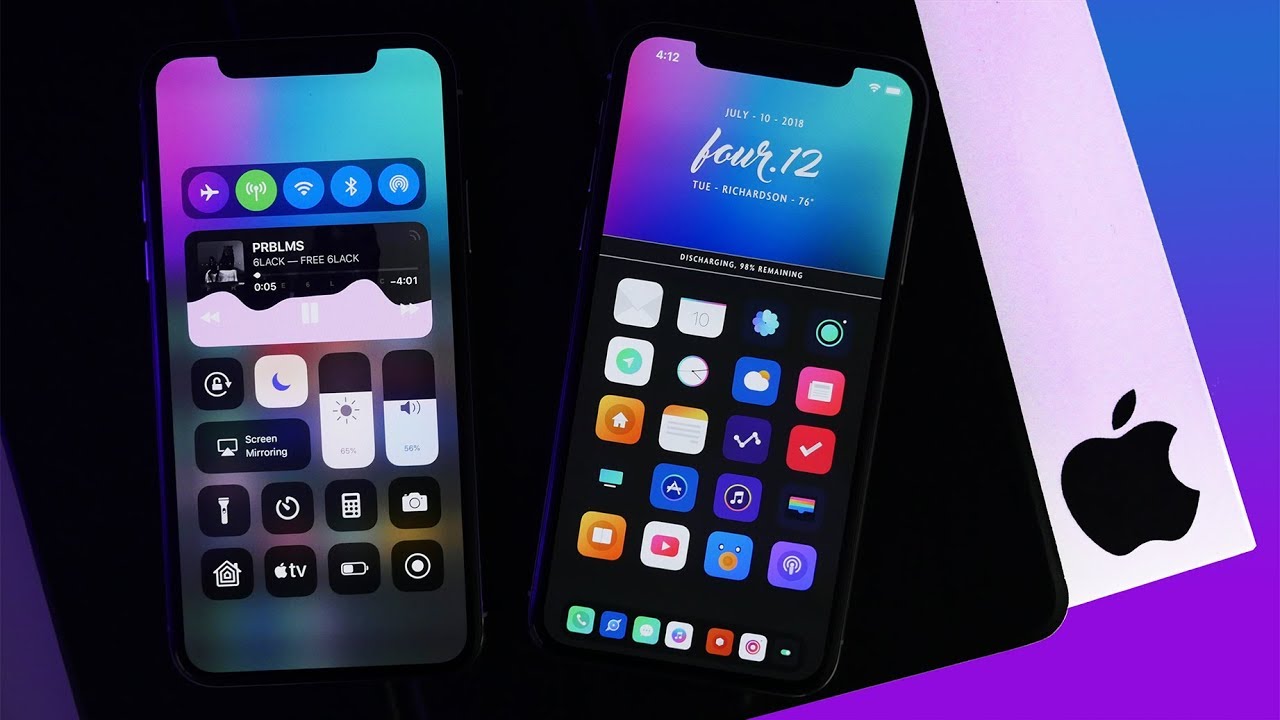
The first article goes over what a jailbreak is, but what can you really do with it? Some main core functionalities of a jailbreak are shown in the image above, completely transforming the look of the stock iPhone to be something truly extravagant. You can make your own themed icons and upload them for other people to use, or download themes other people have made. In Cydia, the main jailbreaking tool, you download the extension called Anemone, which then will let you downloaded themes, and you can manage them through the Anemone app. Creativity can thrive here as you can show off your phone to other people and have your phone not look like boring stock iOS. Many themes for anemone have been created, and some very popular ones include Stencil, Limit, Linear 2, Vexillium, etc, as these themes completely change the look of the icons to have a neon ‘glow’ effect to it and can really help some wallpapers stand out. Some other functionalities of it that you don’t see on screen can come with ease of access, such as the tweak SlideCut which adds the computer equivalent of control c, control v, and control s, which on the phone would in turn translate to sliding your finger from space c, to space v, to space s, respectively. Another functionality tweak, DoubleCut, adds a watered down version of macros to your iDevice. For example, you could press a letter 3 times in a row and it could auto change those three letters to be whatever text you want, this is useful for entering emails and passwords and such as you can just use the macro keys to automatically paste the information for you instead of having to type it out each time. There are currently thousands, or even tens of thousands of modifications or “tweaks” you can download with a jailbroken device and it is all up to your imagination.
 iPhone Jailbreaking